Configure a mission for Triad Tactics
Use this section once your mission is complete to configure it for the Triad Tactics server. Also read the mission requirements, including the rules for assigning objective points.
1. Add Triad Tactics Core
Section titled “1. Add Triad Tactics Core”Add Triad Tactics Core as a project dependency. Project Settings → Dependencies must list Triad Tactics Core with the identifier 69FF2C2B633BBC25. This dependency is required for missions on the server.
Download the addon from Workshop and add it the same way as Lite Lobby. For rules on other gameplay mods, see the mission requirements.
2. Trigger points
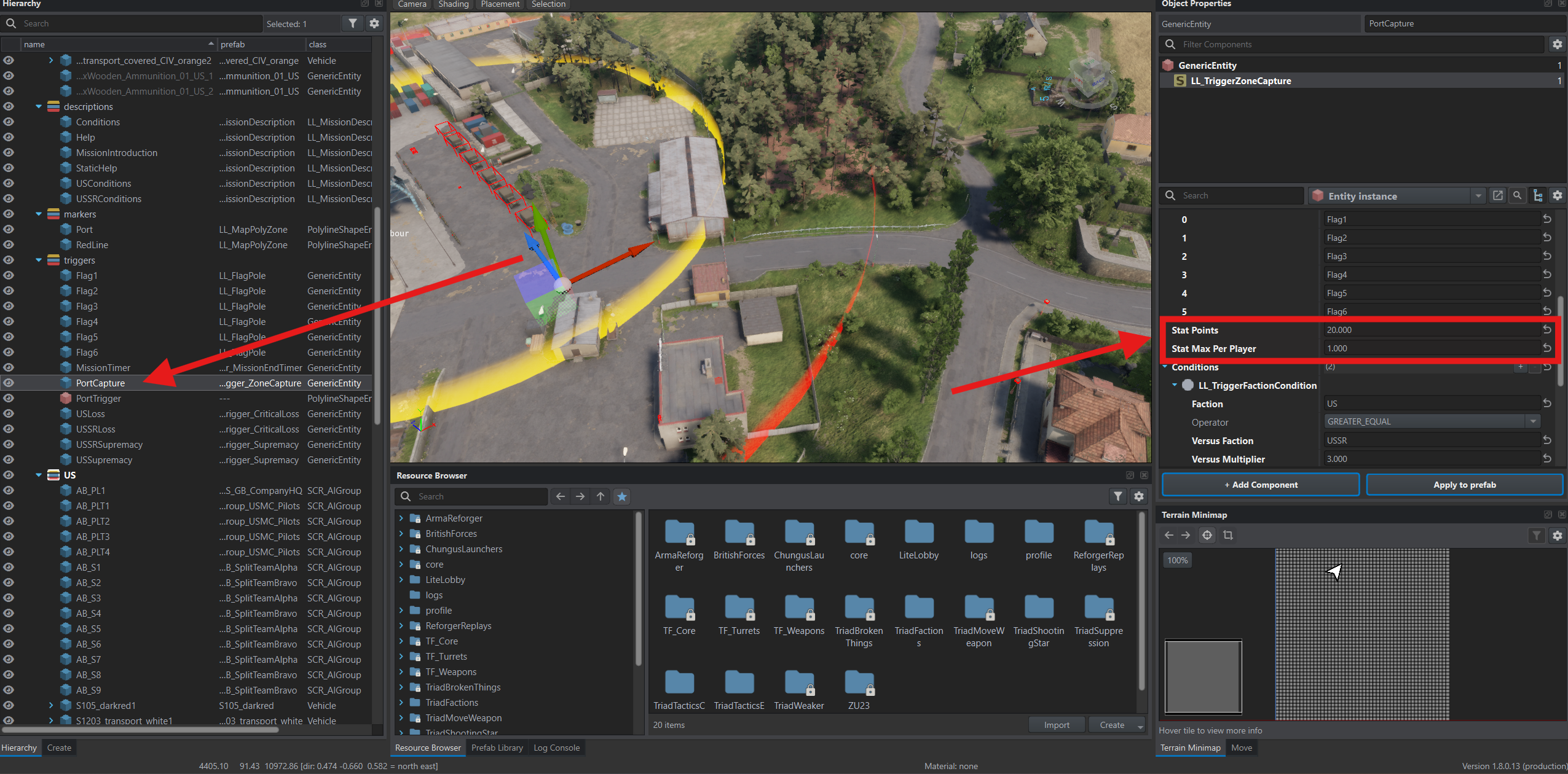
Section titled “2. Trigger points”In World Editor, select the capture trigger — PortCapture in this example. In Object Properties, open LL_TriggerZoneCapture and set:
- Stat Points — the total point pool for the zone.
- Stat Max Per Player — the per-participant limit used when distributing points between units.
The screenshot shows 20 and 1. Agree on values for your mission with the administrators, as specified in the points requirements.
3. Statistics zone
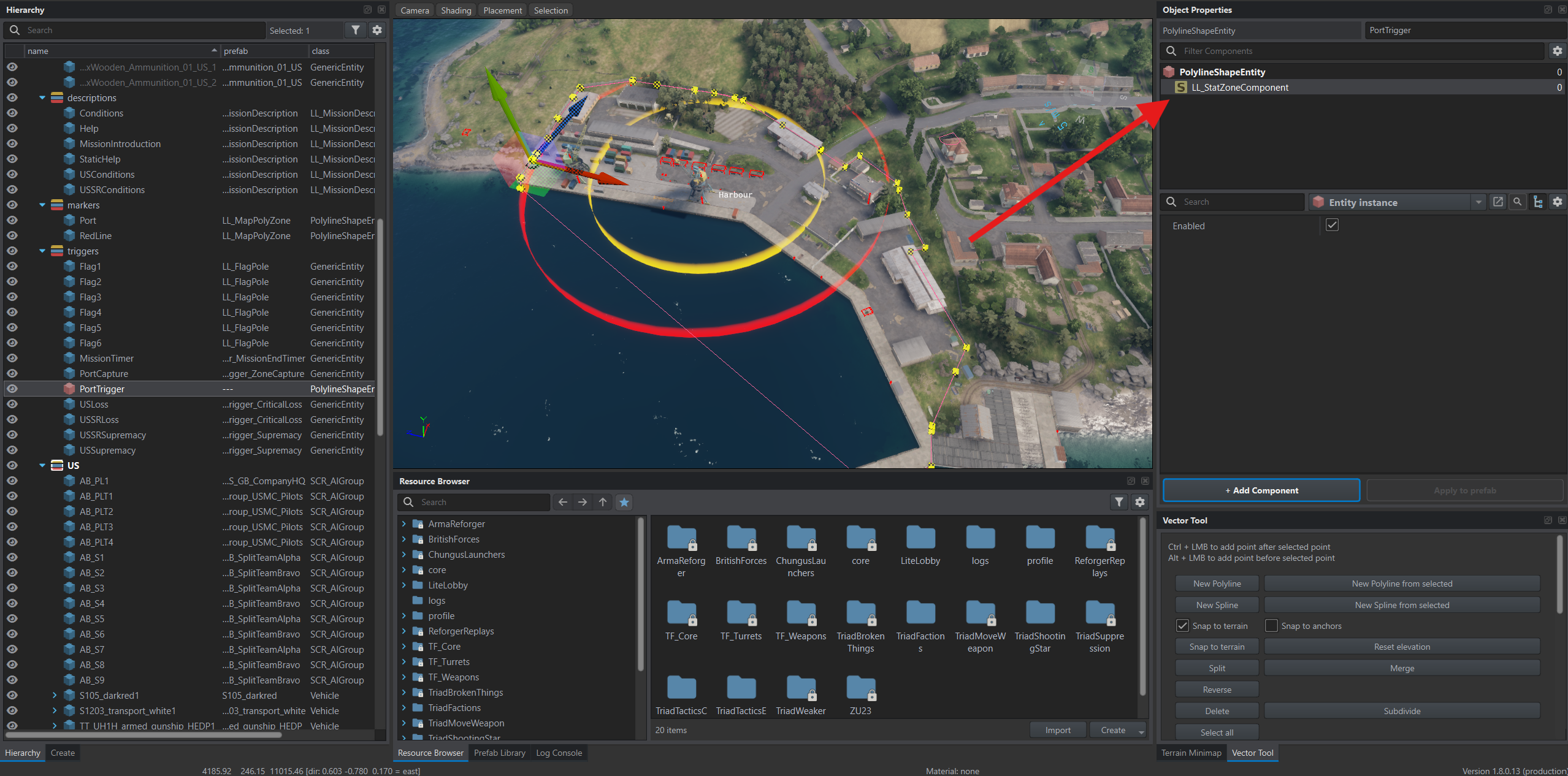
Section titled “3. Statistics zone”Select the object that defines the capture zone boundary — PortTrigger in this example. Use Add Component to add LL_StatZoneComponent to it.
This component marks an area where enemy kills earn extra points. The victim must be inside the zone; the shooter’s position does not determine the bonus. The point multiplier is configured on the server.
4. Session saves
Section titled “4. Session saves”The server saves the game regularly. If the server crashes, the game continues from the last save.
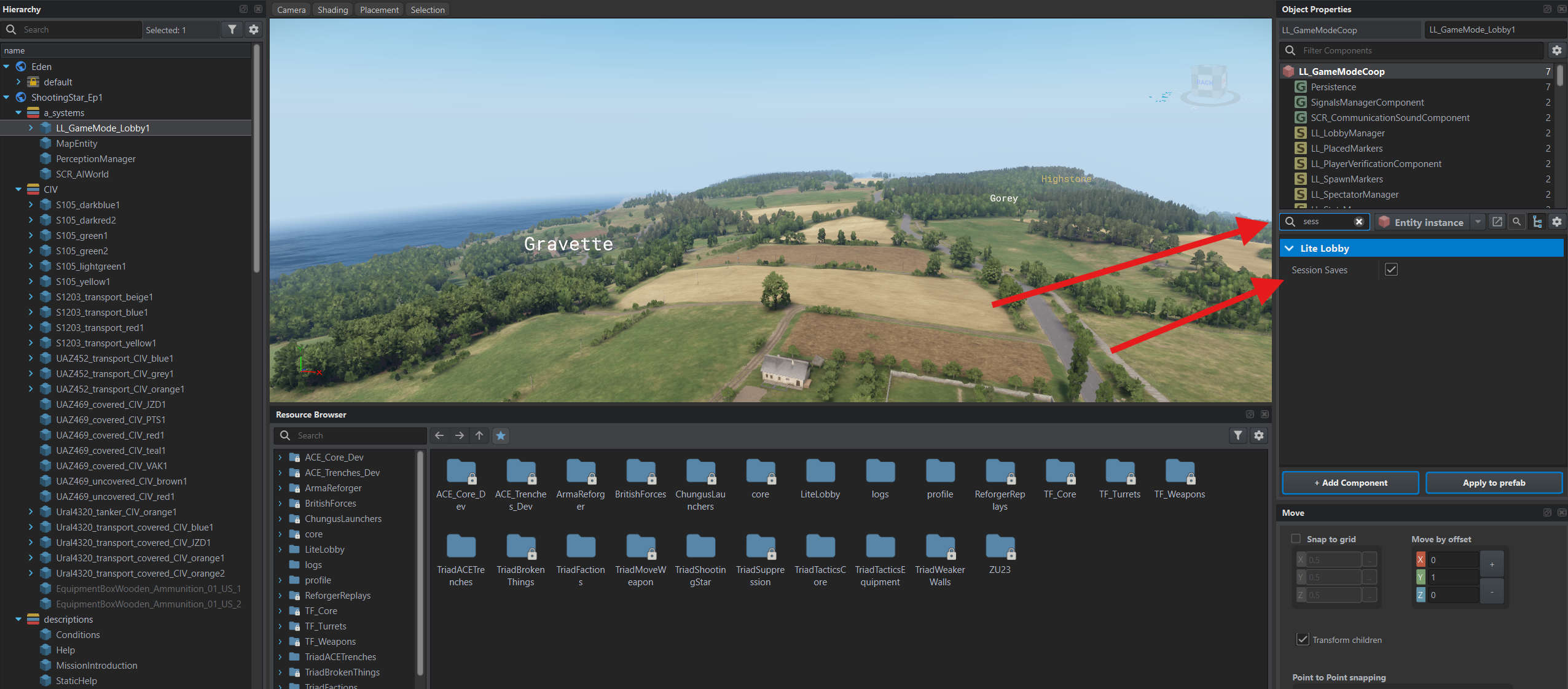
Triad Tactics Core ticks Session Saves in the game mode for you. To check, select LL_GameMode_Lobby1 in Hierarchy and type sess in the property search box in Object Properties.
The mission only has to allow saving. In Resource Browser, open Missions/ShootingStar_Ep1.conf.
Under Save Types, tick all four checkboxes again: MANUAL, AUTO, SCRIPTED and SHUTDOWN. With all four cleared, as in the mission name and description step, the game saves nothing.
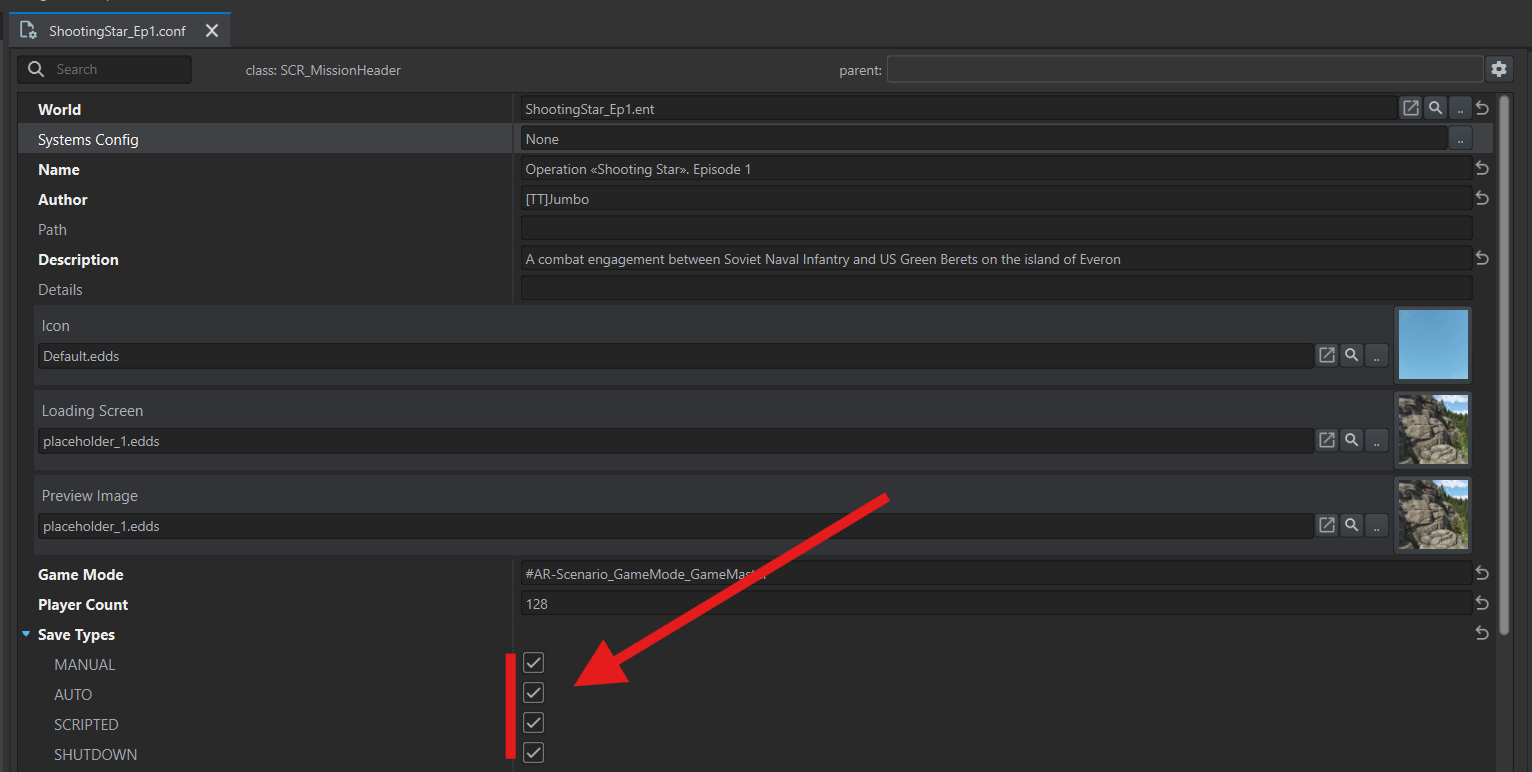
Click .. next to Systems Config, open LiteLobby → Configs → Systems and choose LL_LobbySystems.conf.
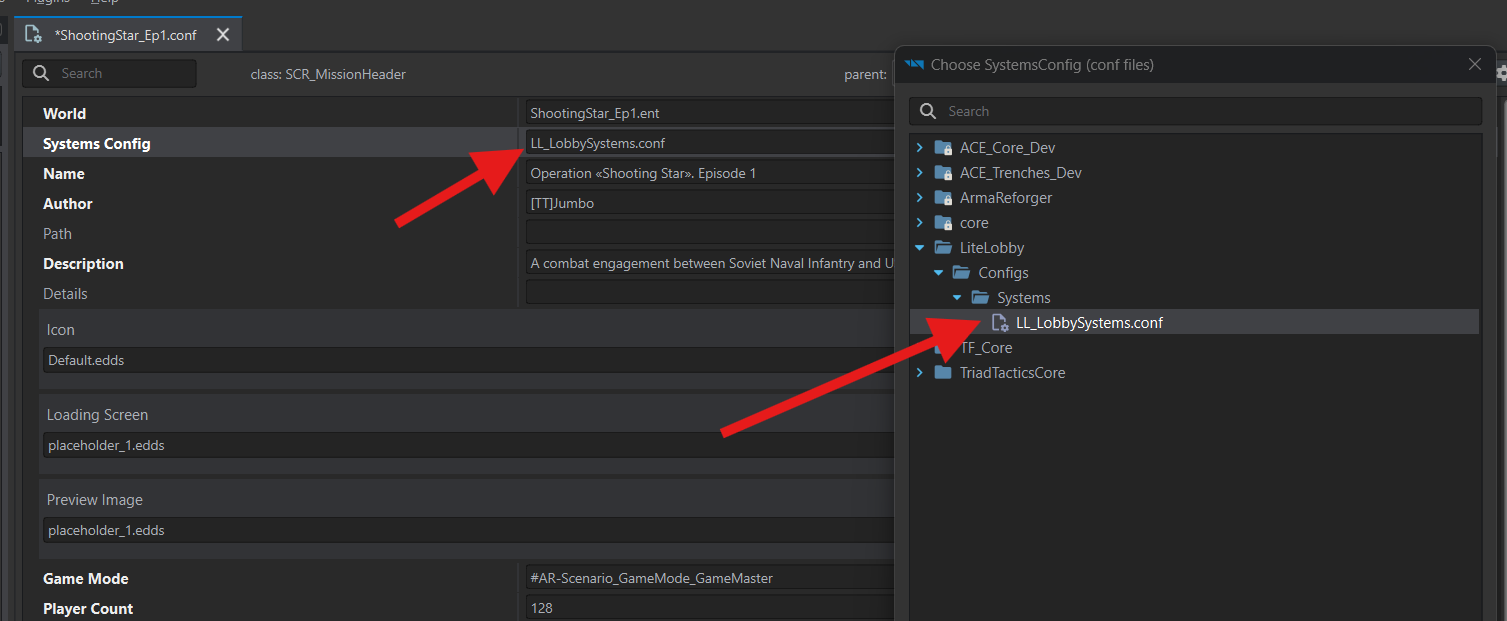
Press Ctrl+S to save the scenario file.
After a crash, the game finds each group by its object name. Give every group with playable slots a name of its own, such as AB_S1; no two groups may share a name.