Open an existing mission
Use this page to open an existing mission in Workbench when you want to study its structure or compare its settings with the guide.
First, we will open Triad Shooting Star from GitHub — the mission we recreate in How to create a mission. You can inspect the finished project and compare its settings with the steps in the guide.
Then we will open a Workshop mission, Triad Danse Macabre. Both methods require Arma Reforger and Arma Reforger Tools.
A mission from GitHub
Section titled “A mission from GitHub”Download and extract the project
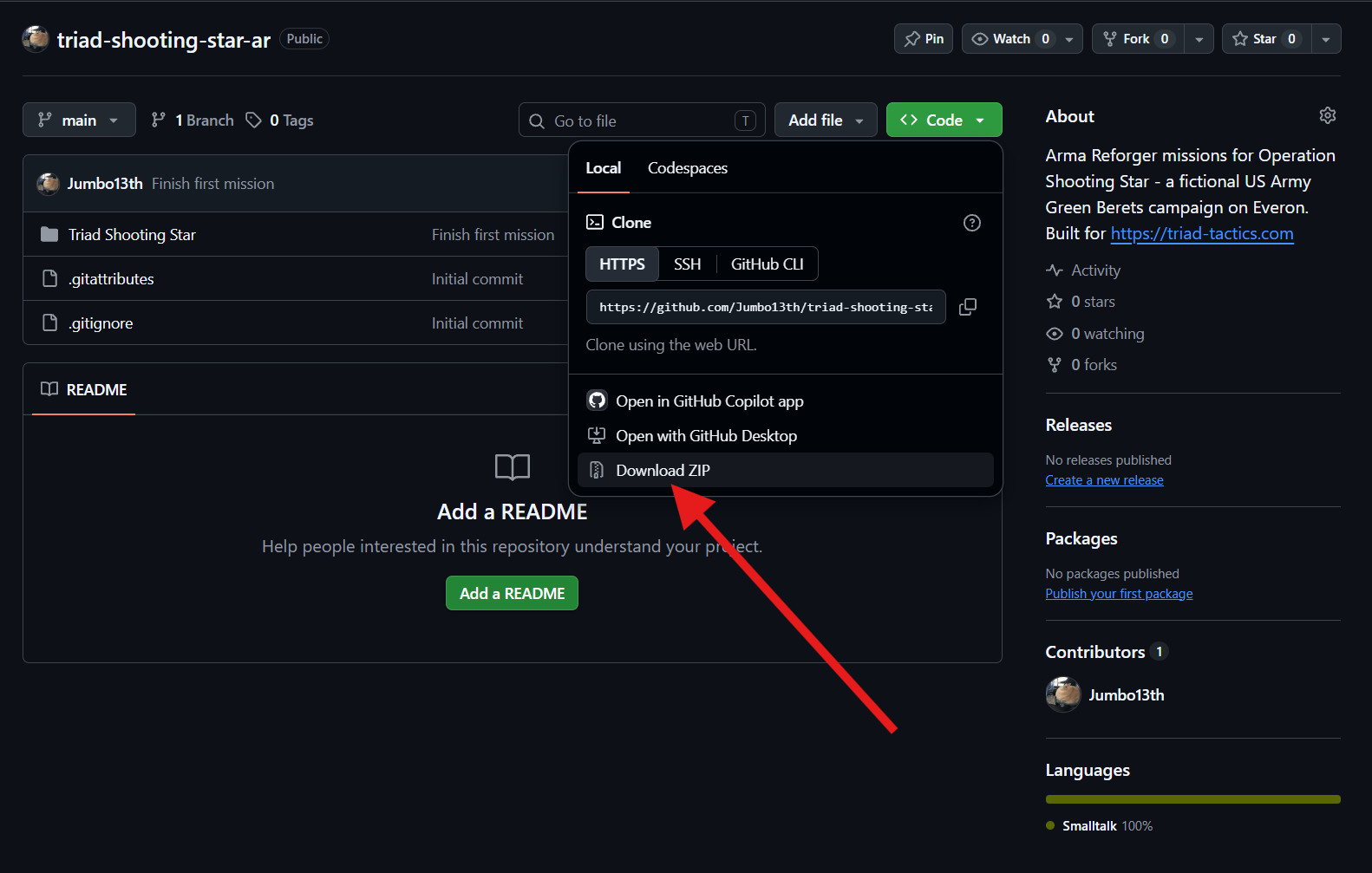
Section titled “Download and extract the project”Open the Triad Shooting Star repository. Above the file list, click Code → Download ZIP.
Save the archive in Documents\My Games\ArmaReforgerWorkbench\addons. Select it in File Explorer and click Extract all.
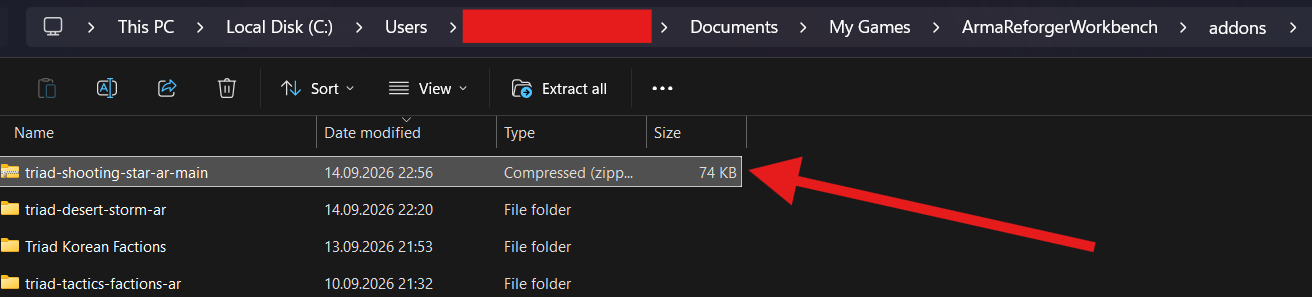
After extracting it, name the repository folder triad-shooting-star-ar, as shown. It should contain the addon folder Triad Shooting Star, with addon.gproj inside. If File Explorer created an additional outer folder, move the repository folder out of it into addons.

Download ZIP downloads the current version of the selected branch.
If you already use Git, you can clone the repository through GitHub Desktop instead of downloading an archive. This also gives you the project’s change history.
Add the project to Workbench
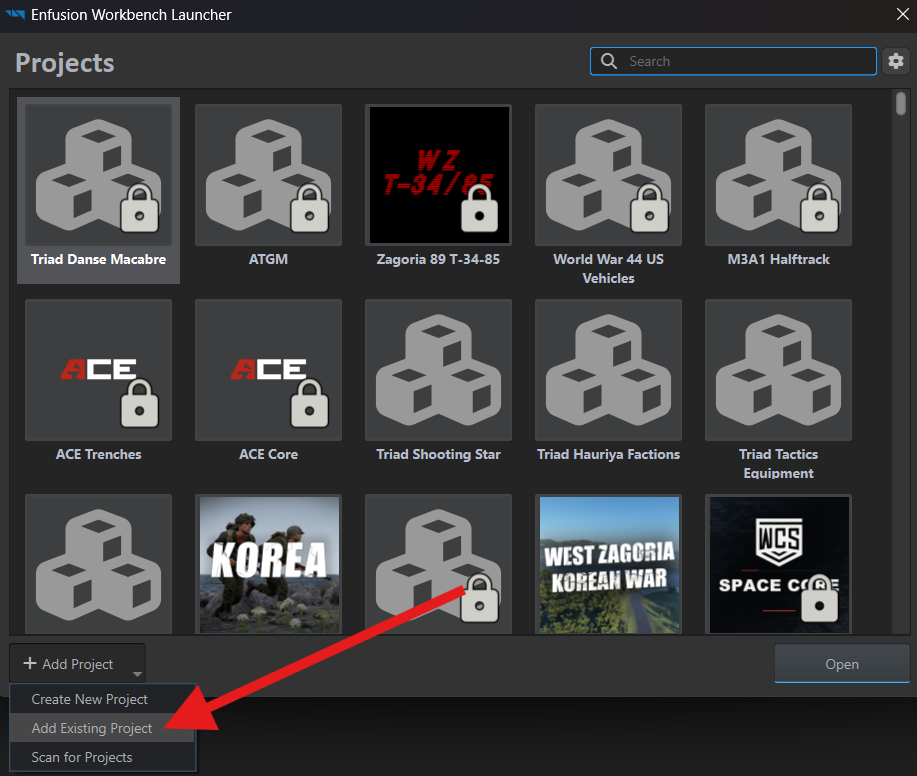
Section titled “Add the project to Workbench”Launch Arma Reforger Tools. In the launcher, select Add Project → Add Existing Project.
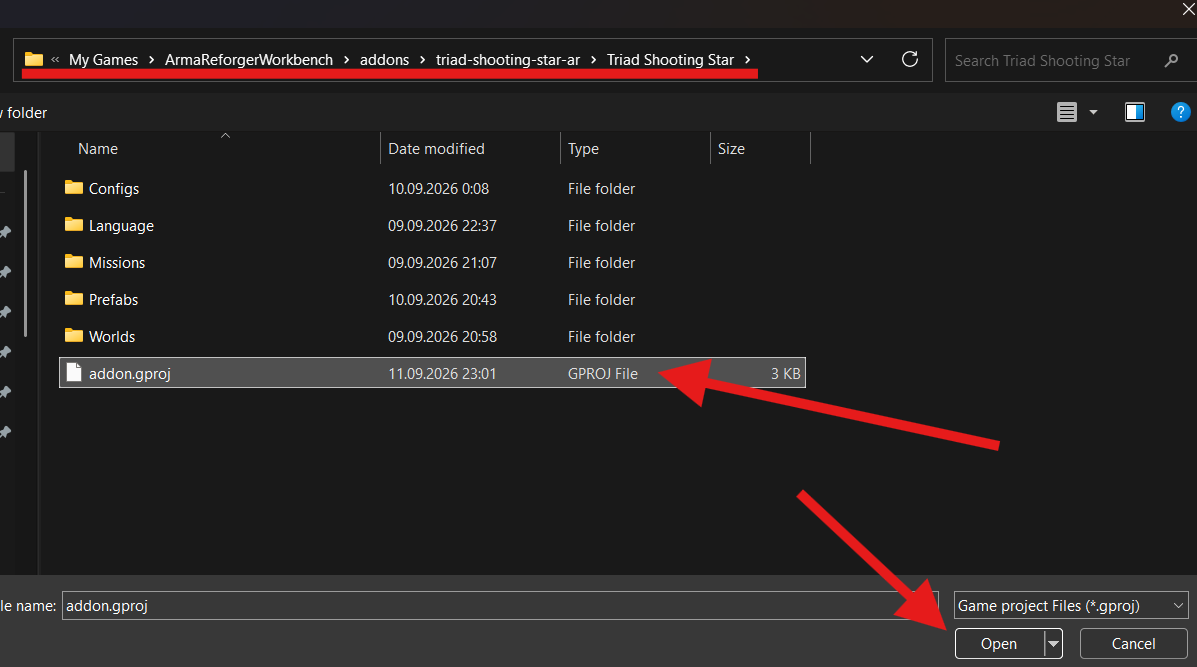
Open triad-shooting-star-ar, then Triad Shooting Star. Select addon.gproj and click Open.
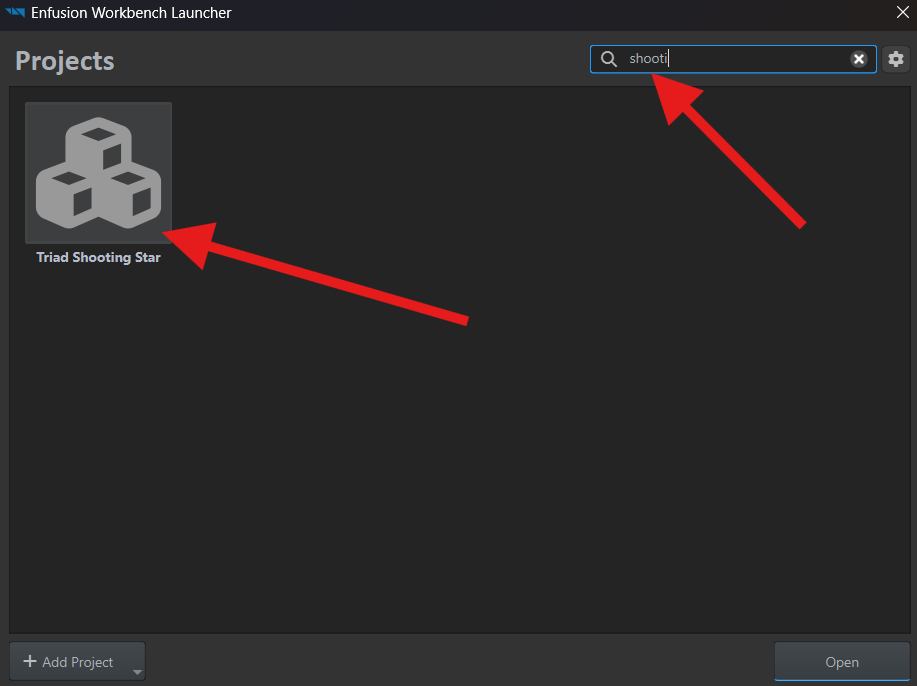
Enter shoot in the launcher’s search field, select Triad Shooting Star, and click Open.
Missing addons
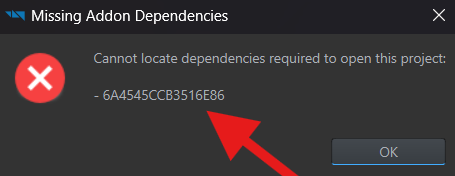
Section titled “Missing addons”Missing Addon Dependencies means Workbench could not find a required addon. Follow If Workbench cannot find an addon, then open the project again.
Open the world
Section titled “Open the world”In Workbench, click World Editor under Quick Launch. In Resource Browser, select TriadShootingStar and double-click Worlds/Eden/ShootingStar_Ep1.ent.
The mission world used in the main guide opens in the editor.
A mission from Workshop
Section titled “A mission from Workshop”Install the mission
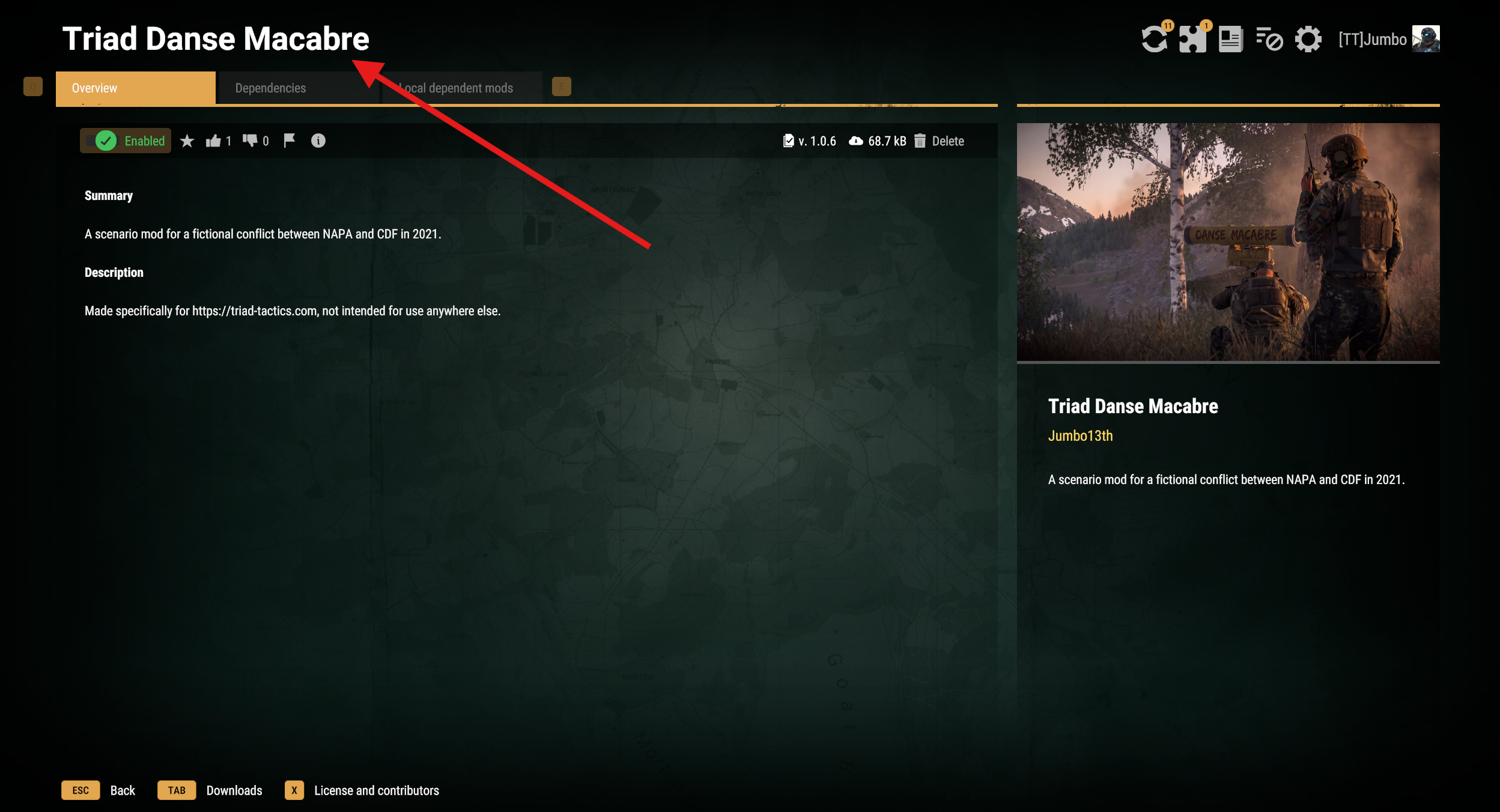
Section titled “Install the mission”Launch Arma Reforger and open Workshop. Search for Triad Danse Macabre by name or by its identifier, 69F707F1824808A8. Download the mod and wait for its dependencies — the other mods the mission needs — to finish downloading.
Find the project in Workbench
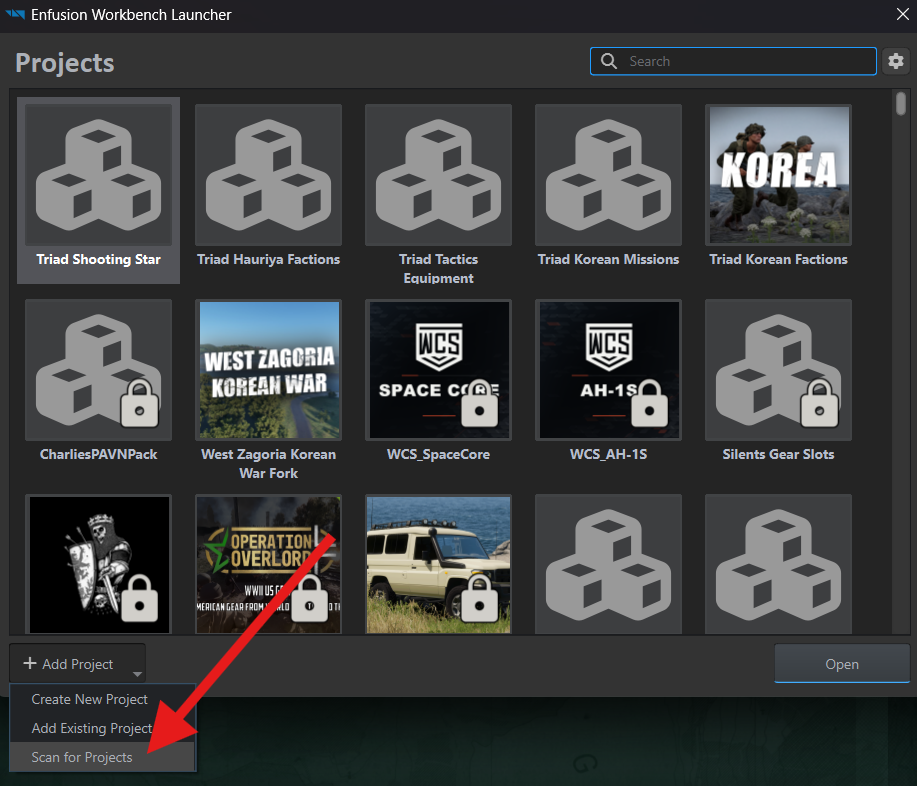
Section titled “Find the project in Workbench”Launch Arma Reforger Tools. In the launcher, select Add Project → Scan for Projects.
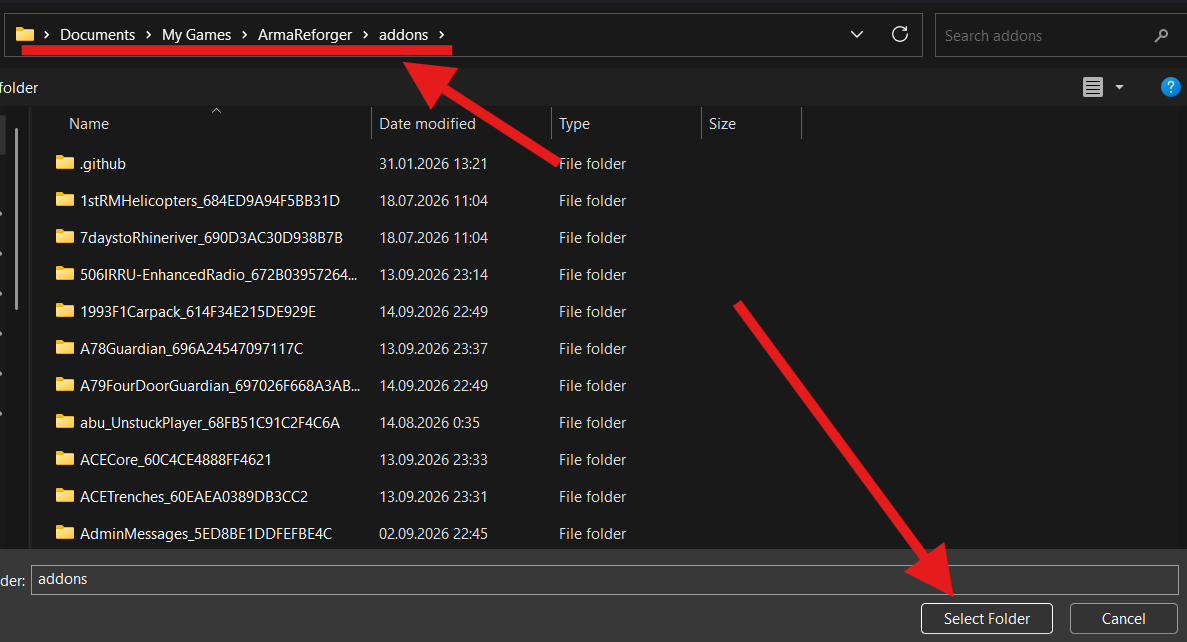
Select Documents\My Games\ArmaReforger\addons and click Select Folder. This is where the game stores mods downloaded from Workshop.
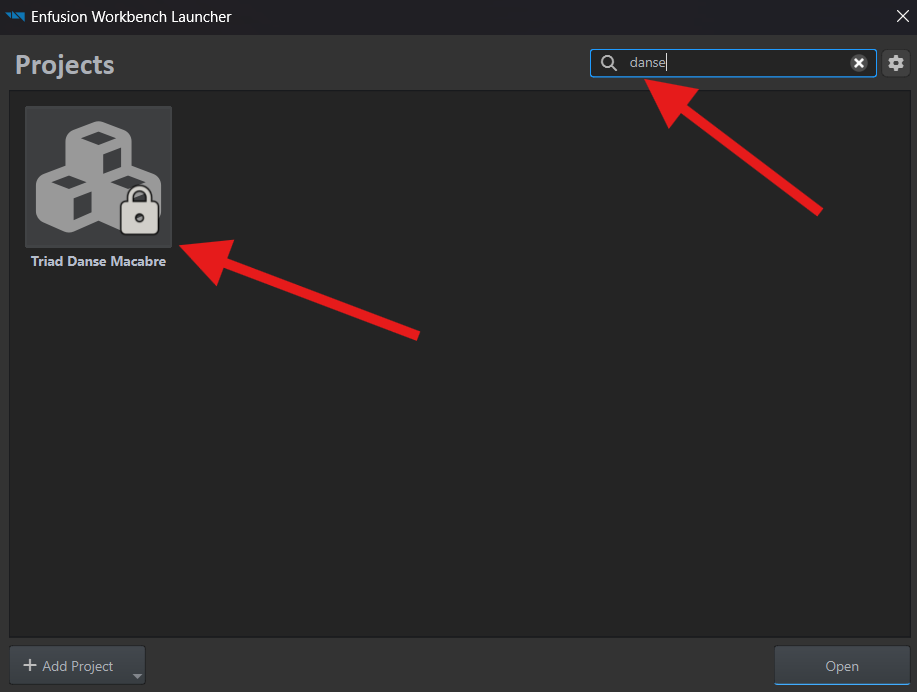
When the scan finishes, enter danse in the launcher’s search field. Select Triad Danse Macabre and click Open.
If Missing Addon Dependencies appears, use the same instructions for finding missing mods.
Browse the mission files
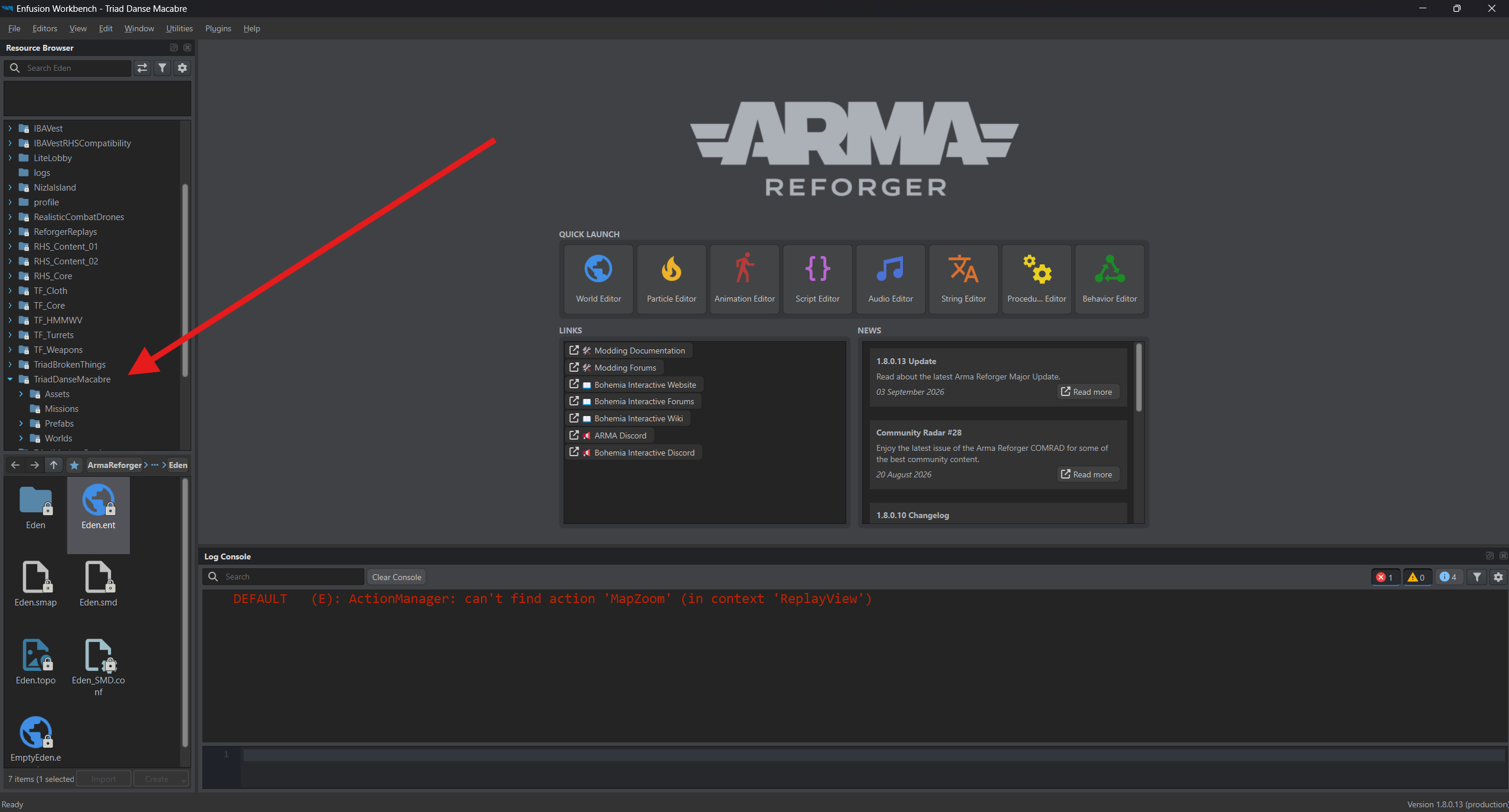
Section titled “Browse the mission files”In Resource Browser, find TriadDanseMacabre and expand its folders. Explore prefabs in Prefabs and look for mission worlds in Worlds. To open a world, find the .ent file you want in Worlds or its subfolders and double-click it.